Best Weather Widgets for Android in 2026
Weather Now is our all-round Android pick for a forecast widget connected to radar and a full daily weather app. RainViewer is better for a radar-specific widget, while Windy is stronger for advanced forecasts and Wear OS.
Best Android widgets by need
| Need | Best fit | Why |
|---|---|---|
| Daily forecast at a glance | Weather Now | Widget connects to hourly, long-range and radar views |
| Rain on the home screen | RainViewer | Resizable radar and minute-by-minute rain widgets |
| Advanced weather and Wear OS | Windy.com | Forecast, radar, tiles and complications across devices |
| Quick radar app | MyRadar | Location-first radar with Wear OS tiles |
What makes a useful weather widget?
A widget is successful when you can read it in one second. Current temperature, next precipitation, today's range and a severe-alert state are useful. Six tiny charts, decorative labels and stale values are not.
Refresh behavior matters as much as design. Android may limit background work to protect battery life. If a widget appears stale, check battery optimization, location permission and whether tapping it refreshes or opens the correct forecast.
Weather Now: best all-round companion
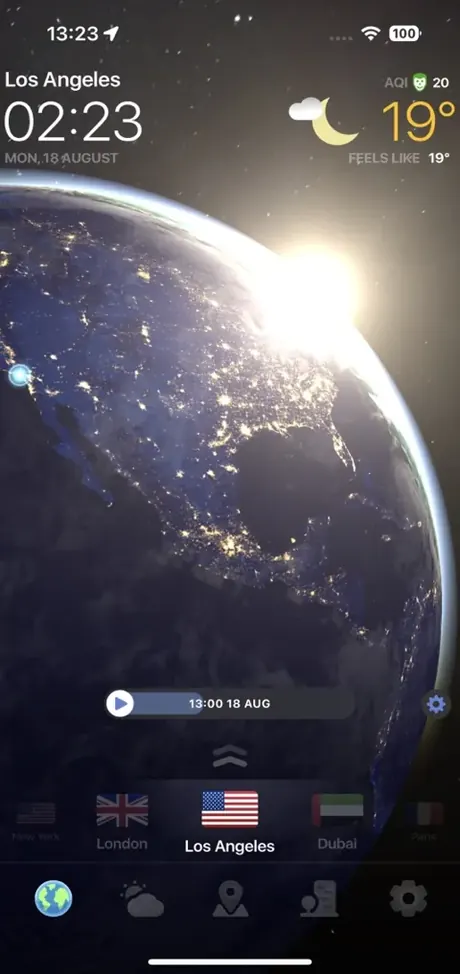
Weather Now's Android page describes customizable home-screen widgets alongside live radar, hourly weather, a 14-day outlook, severe alerts, AQI and 3D Earth. It is a strong choice if the widget is a doorway into a complete weather app rather than the product by itself.
RainViewer: best radar widget
RainViewer's current Google Play listing explicitly describes a resizable radar widget and a minute-by-minute rain widget. That is a better fit when your home screen should answer “Is rain approaching?” instead of showing a general five-day summary.
Windy: best advanced and wearable option
Windy's Android listing includes forecast and radar widgets plus Wear OS forecasts, radar, tiles and complications. It is the stronger choice for users who already use Windy's layers and want continuity between phone, home screen and watch.
How to choose a layout
- Use a compact current-conditions widget when home-screen space is limited.
- Use an hourly strip when timing matters more than a seven-day summary.
- Use a radar widget if showers are frequent and short-lived where you live.
- Keep one primary weather widget; multiple providers can create conflicting numbers without adding clarity.
- Test legibility on both light and dark wallpapers.
Widget availability can depend on app version, device manufacturer and Android release. Official product pages were checked on July 10, 2026.
Frequently asked questions
What is the best free weather widget for Android?
Weather Now is our balanced choice for daily forecasts connected to a full radar app. RainViewer is better if the widget itself should show radar or minute-by-minute rain.
Why is my Android weather widget not updating?
Battery optimization, restricted background activity, disabled location access or network limits can delay refreshes. Allow the app appropriate background access and test a manual refresh.
Can an Android widget show live radar?
Yes. Some apps, including RainViewer, offer resizable radar widgets. Refresh frequency and animation may be limited to protect battery life.
Sources and methodology
Feature claims were checked against official product and government pages on July 10, 2026. This page was updated on August 3, 2026. Editorial recommendations are based on the use cases described above; Weather Now is our product.
See the weather, not just the numbers
Track live radar, hourly conditions, storm alerts and the global forecast in Weather Now.