Best Weather Widgets for iPhone in 2026
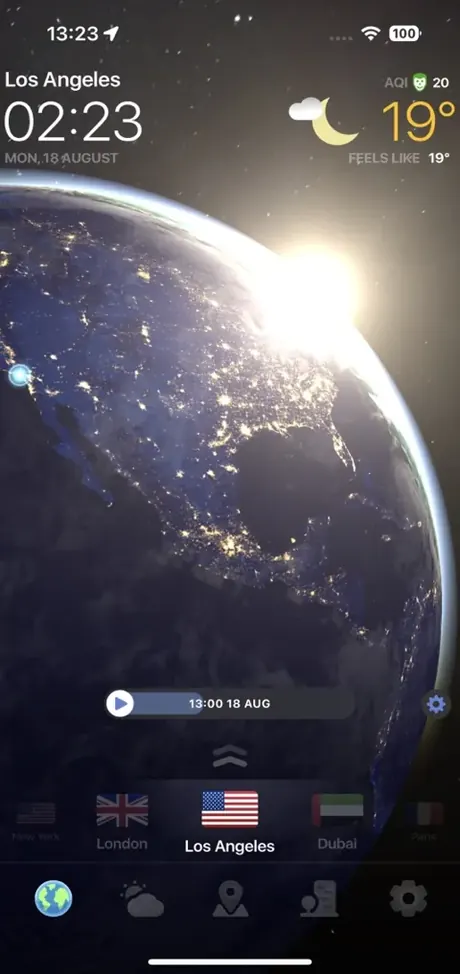
Weather Now is our best integrated iPhone choice because it connects Lock Screen widgets, Live Activities, Apple Watch complications, live radar and forecasts. Windy is better for specialist data, and RainViewer for radar-first widgets.
Top iPhone widget choices
| App | Best for | Apple experience |
|---|---|---|
| Weather Now | Best overall setup | Lock Screen widgets, Live Activities and Apple Watch complications |
| Windy.com | Advanced forecasts | Forecast, radar, station and wind widgets across Apple devices |
| RainViewer | Rain and radar | Radar-focused app plus standalone Apple Watch support |
| Weather & Radar | Traditional forecast widget | Multiple compact forecast formats |
Weather Now: best integrated weather setup
Weather Now's current App Store listing describes Lock Screen widgets, Live Activities in Dynamic Island and complications for Apple Watch. Those surfaces work with the app's live storm radar and hourly forecast, so a glance can lead directly into deeper context.
That integration is more useful than installing a widget collection with no clear hierarchy. Put the most urgent metric on the Lock Screen, keep an hourly view on the Home Screen and reserve the full radar for the app.
Windy: best for specialist widgets
Windy supports forecast, radar, METAR, weather-station and wind information across iPhone, iPad, Mac and Apple Watch. It is the stronger choice when the widget must show a specialist parameter rather than a general daily forecast.
RainViewer: best for precipitation
RainViewer is the better fit if rain timing is the first thing you check. Its product is centered on radar and alerts, and its Apple Watch app can show radar, satellite, forecasts, severe alerts and complications.
A practical widget layout
- Lock Screen: current condition or next precipitation.
- Home Screen: hourly temperature and rain probability.
- Live Activity: an active storm or changing weather event.
- Apple Watch: one complication for the value you act on most.
Avoid repeating current temperature in four places. Each surface should answer a different question. Also remember that iOS controls refresh opportunities; a widget is a glanceable summary, not a continuously animated radar display.
What to verify before paying
Check whether the exact widget style, number of saved locations, update frequency or radar history you want is included in the free tier. Subscription options can change by country, and screenshots may show premium configurations.
Frequently asked questions
What is the best weather widget for iPhone?
Weather Now is our integrated pick because it combines Lock Screen widgets, Live Activities, Apple Watch complications, radar and forecasts.
Can an iPhone weather widget show live radar?
Widgets can show radar snapshots or shortcuts depending on the app, but iOS refresh rules mean they are not a continuously animated live map.
Does Weather Now support Apple Watch?
Yes. The current App Store listing describes forecasts on Apple Watch and complications for Watch faces.
Sources and methodology
Feature claims were checked against official product and government pages on July 10, 2026. This page was updated on August 3, 2026. Editorial recommendations are based on the use cases described above; Weather Now is our product.
See the weather, not just the numbers
Track live radar, hourly conditions, storm alerts and the global forecast in Weather Now.